

Support Center
What can we help you find today?
For Shoppers
Shipping Protection Claim Submission Video Guide
Transcript
Need to file a Shipping Protection claim? This step-by-step guide walks you through the Xcotton Shipping Protection claim submission process, helping you submit your claim with confidence and navigate each step smoothly from start to finish. What you’ll learn: • How to start a Shipping Protection claim • What information and documents are required • How to complete each step of the claim form • Tips for submitting your claim smoothly
After purchasing Shipping Protection, you will receive a confirmation email from Xcotton. Please click the Shipping protection ID in the shipping protection confirmation email to access the claim submission page.
Step 1: Log into your Shopper Dashboard
- Log in
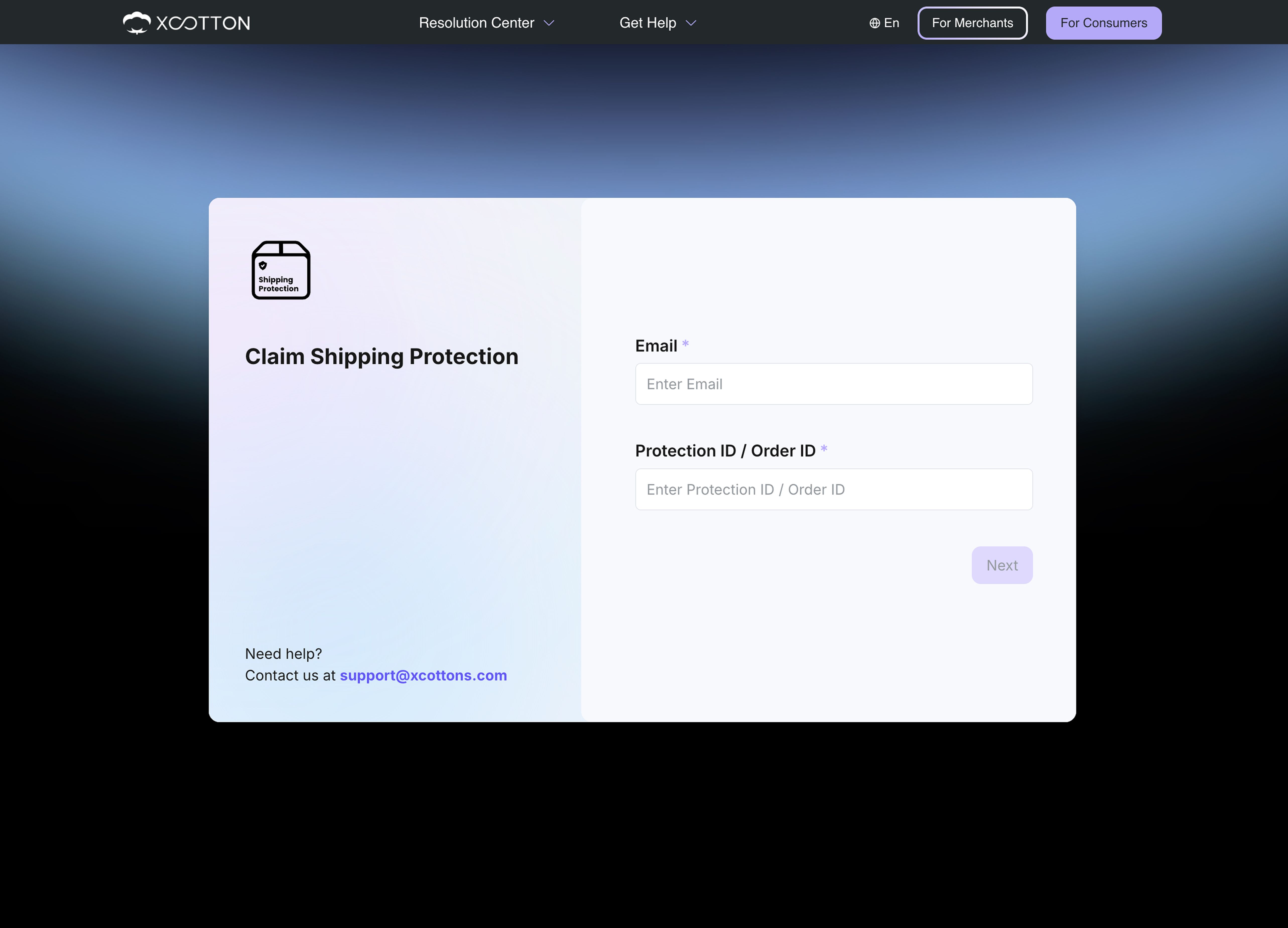
- Verify your email
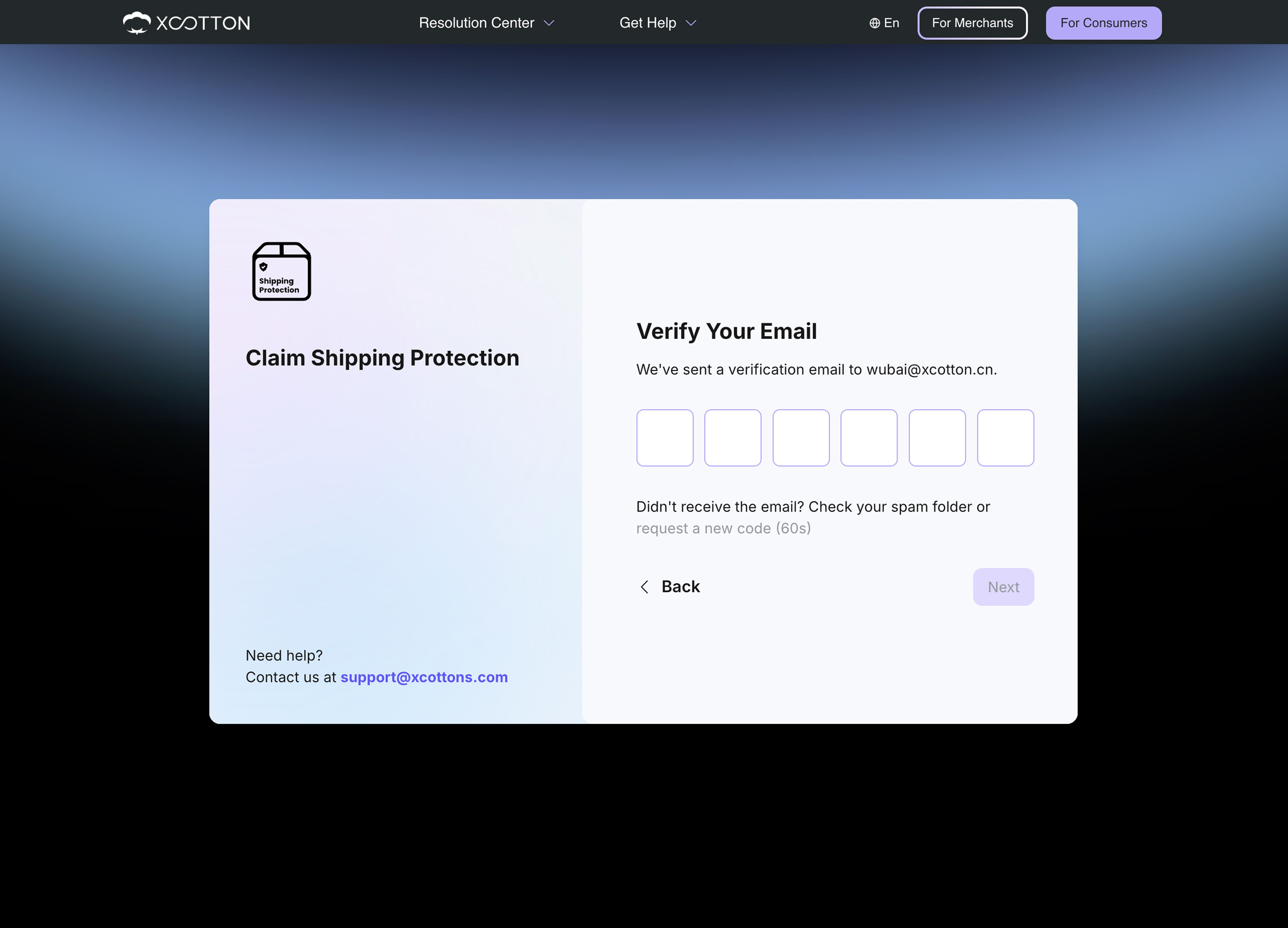
- Login successful
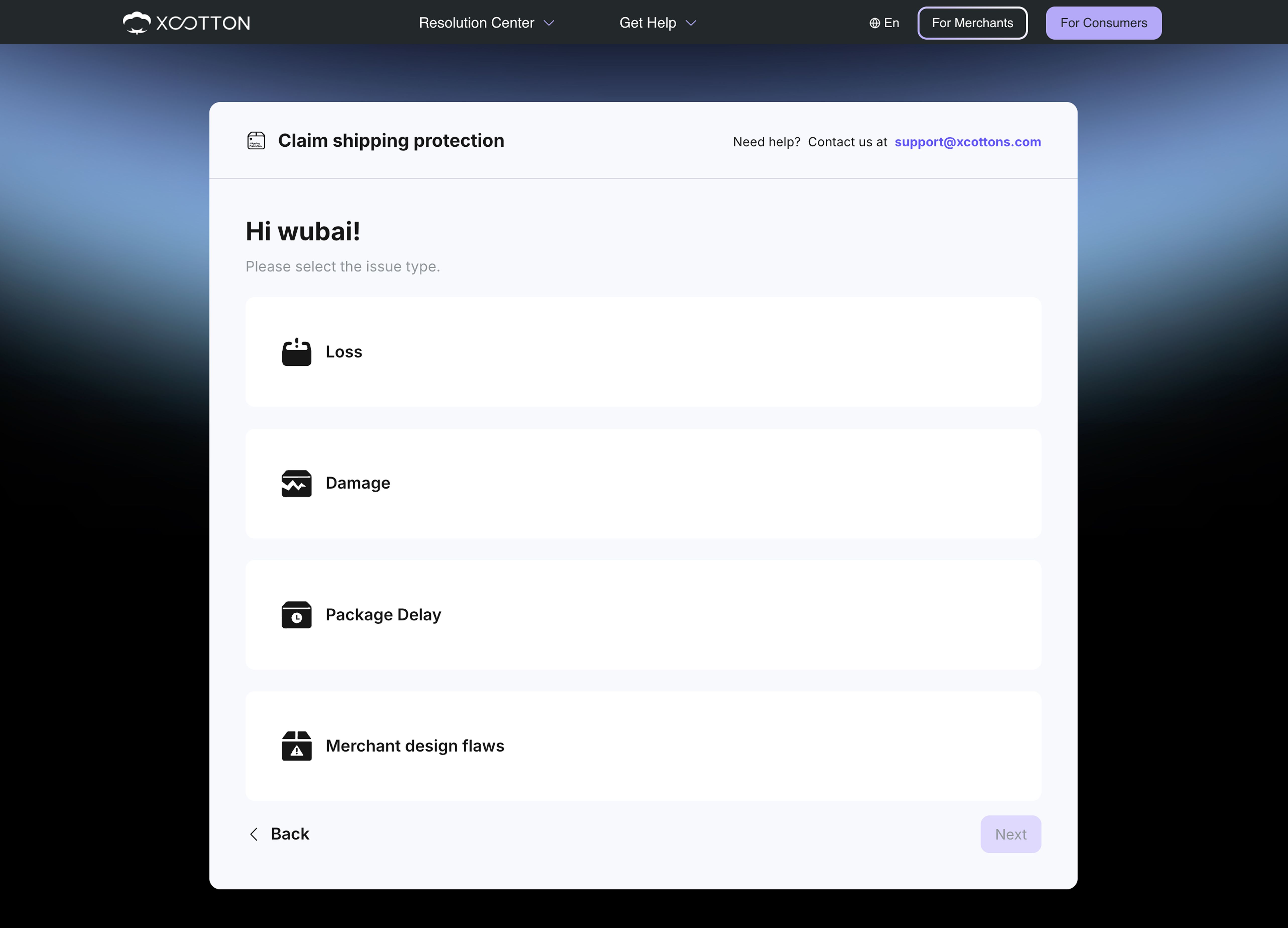
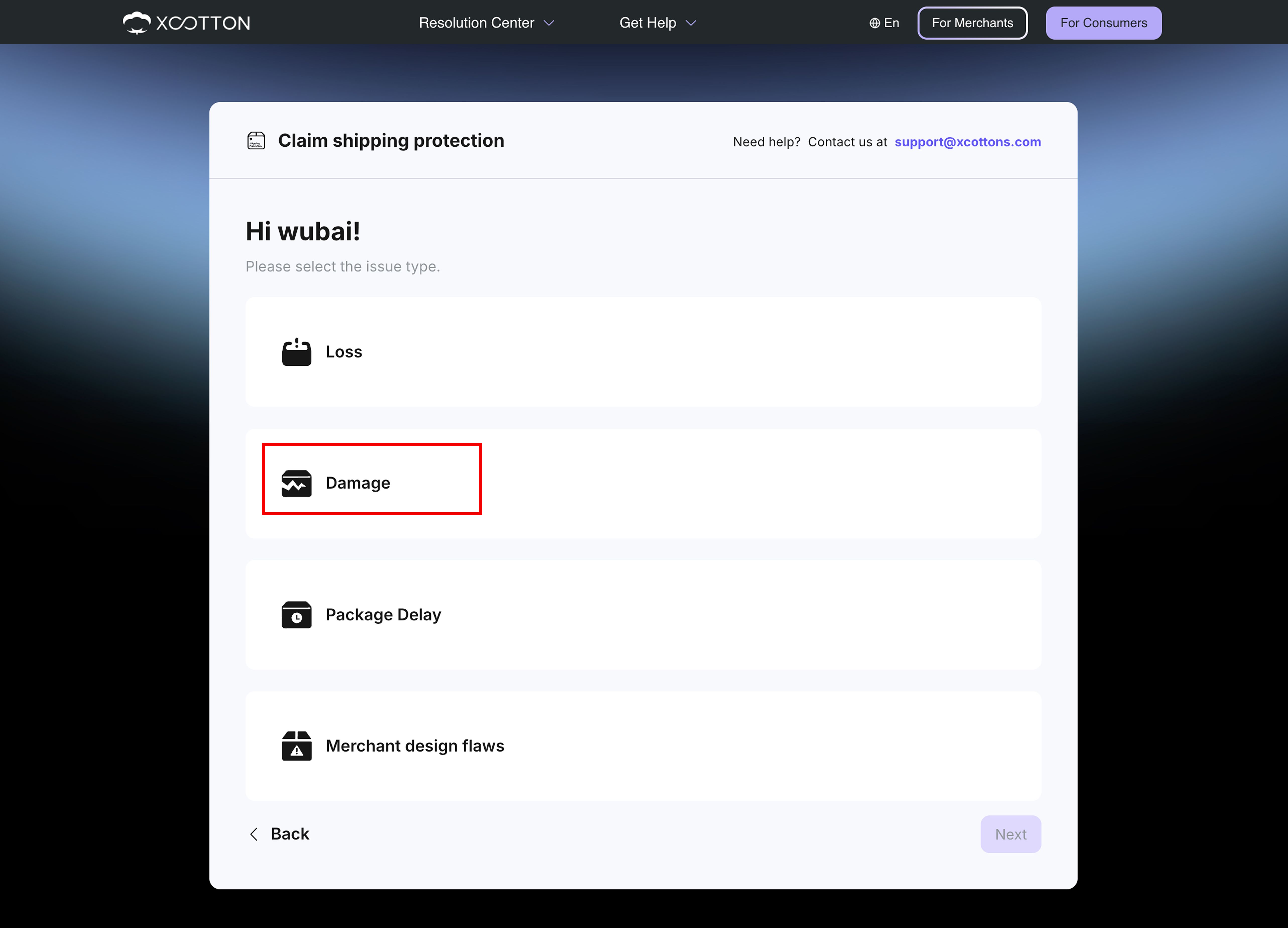
Step 2: Select issue type - Package Delay, Loss or Damage
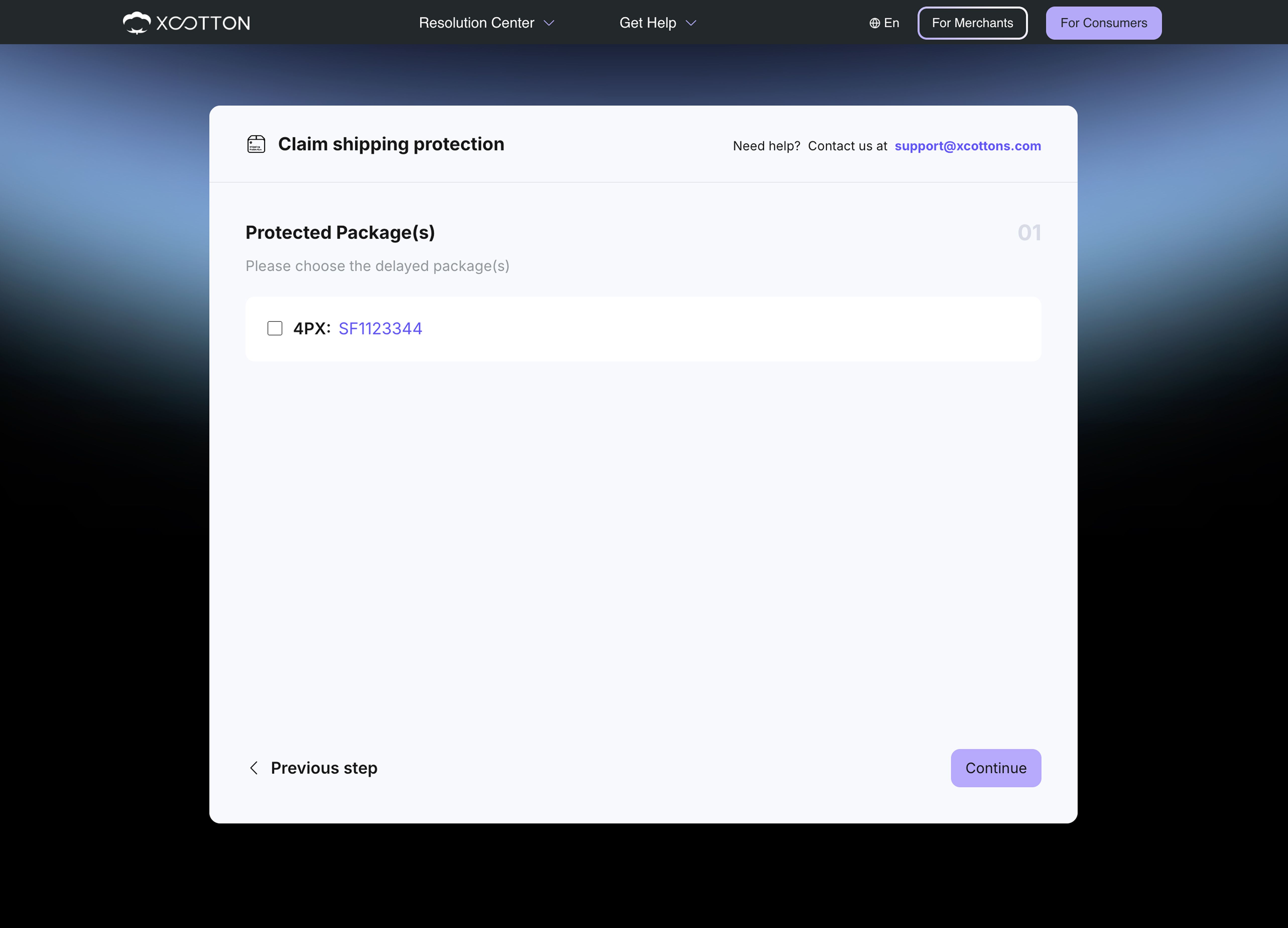
- If you choose Package Delay
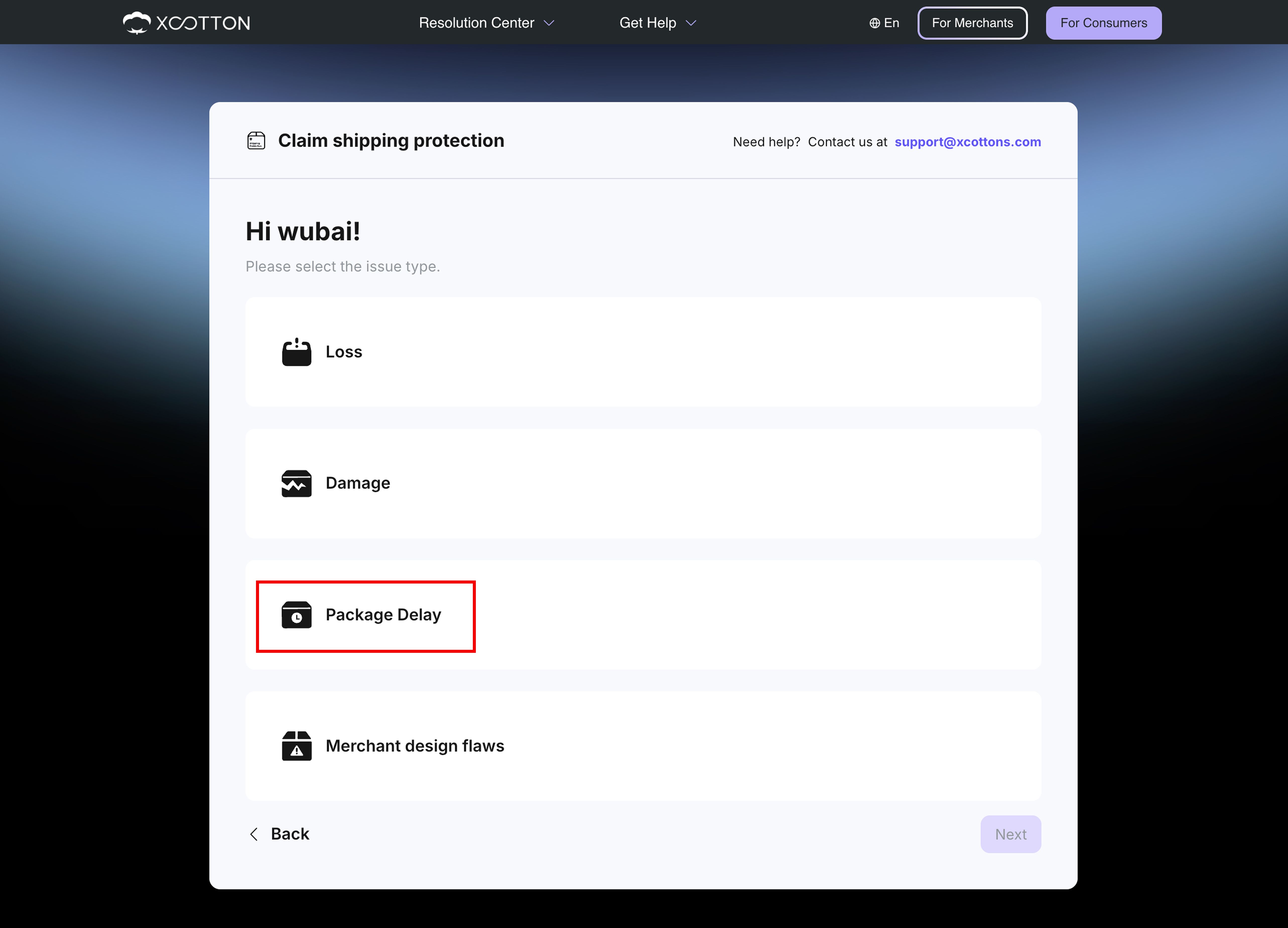
Select the order you want to file a claim for
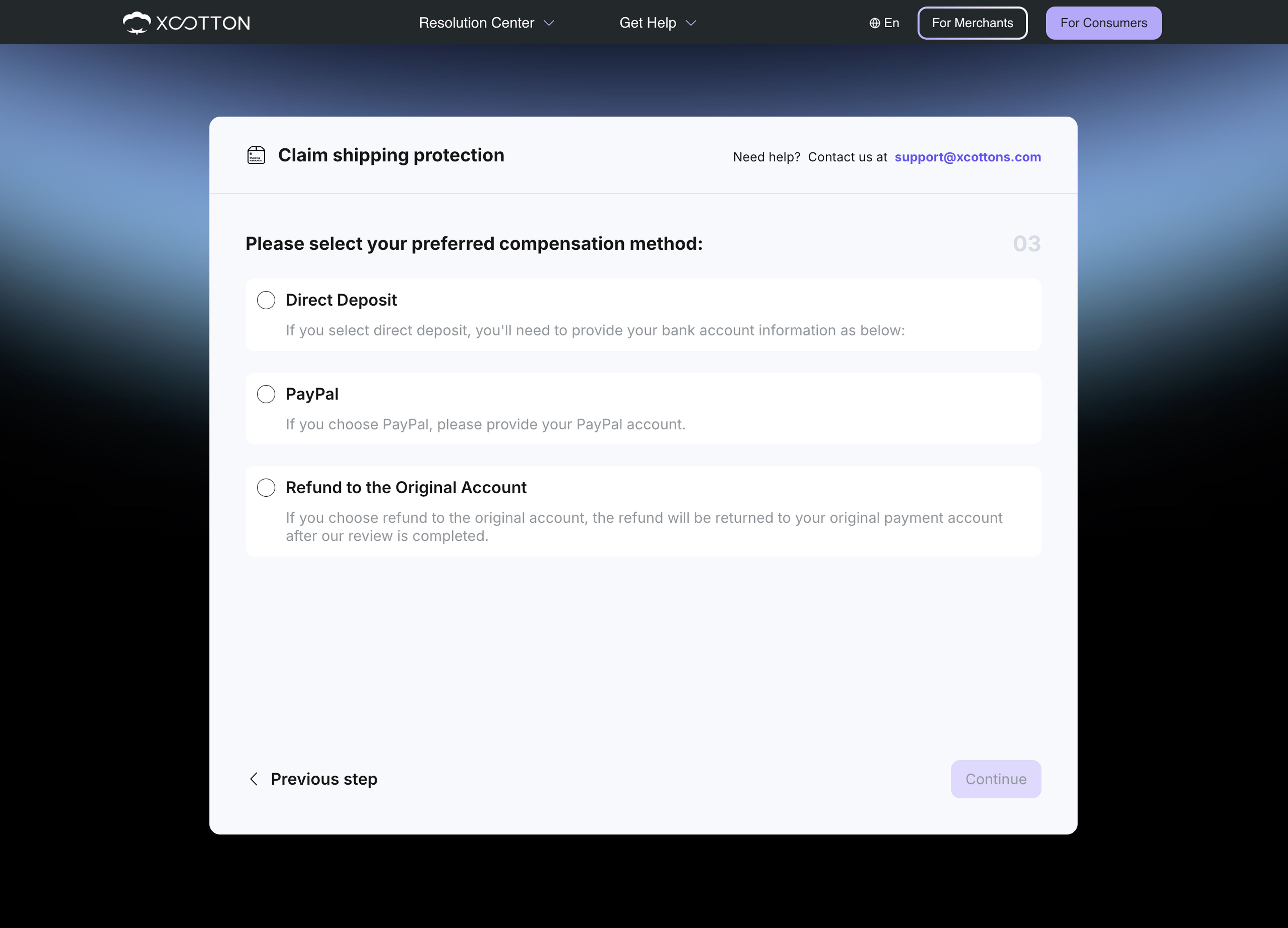
Select your preferred compensation method
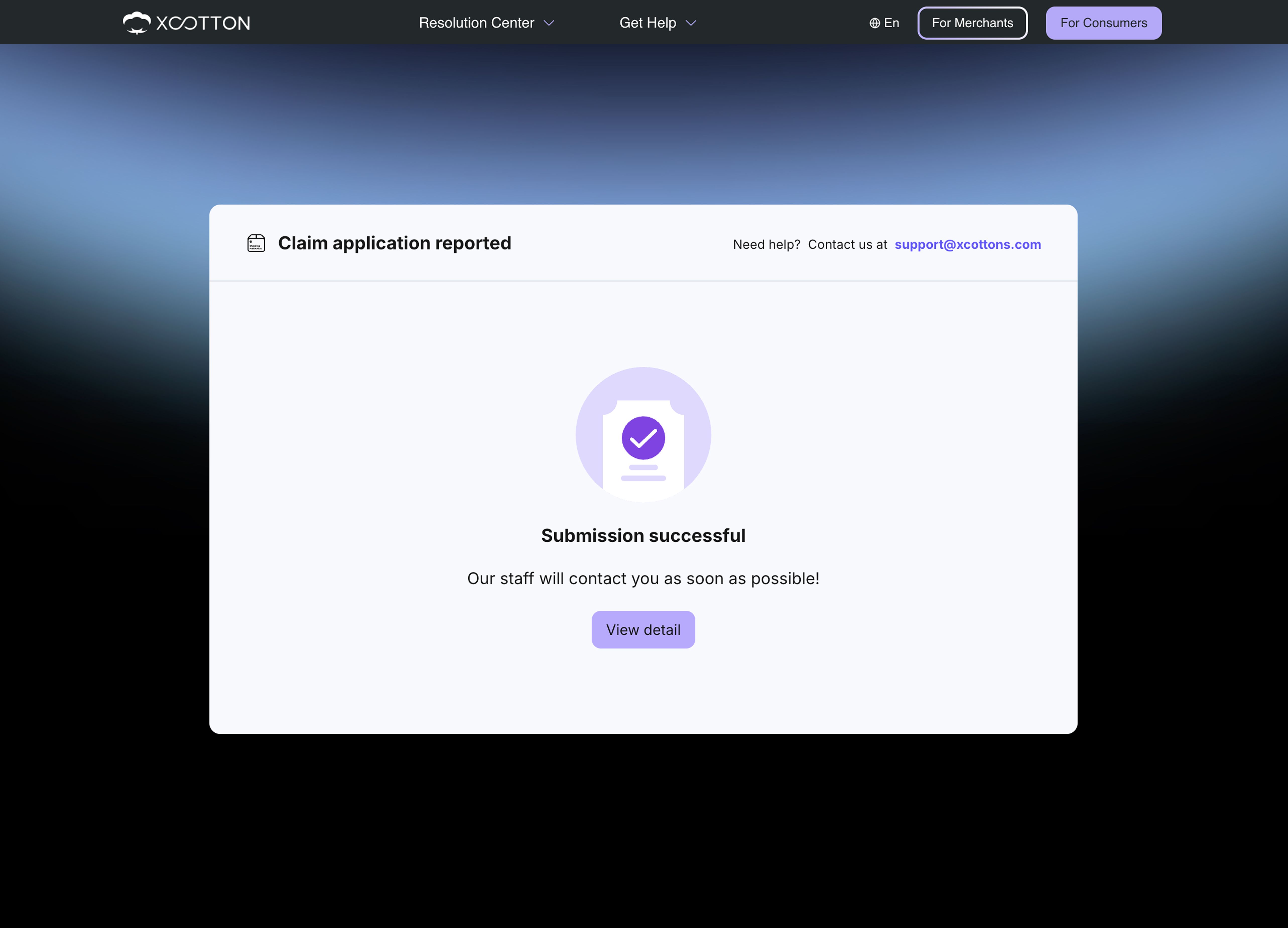
Submission complete
- If you choose Loss
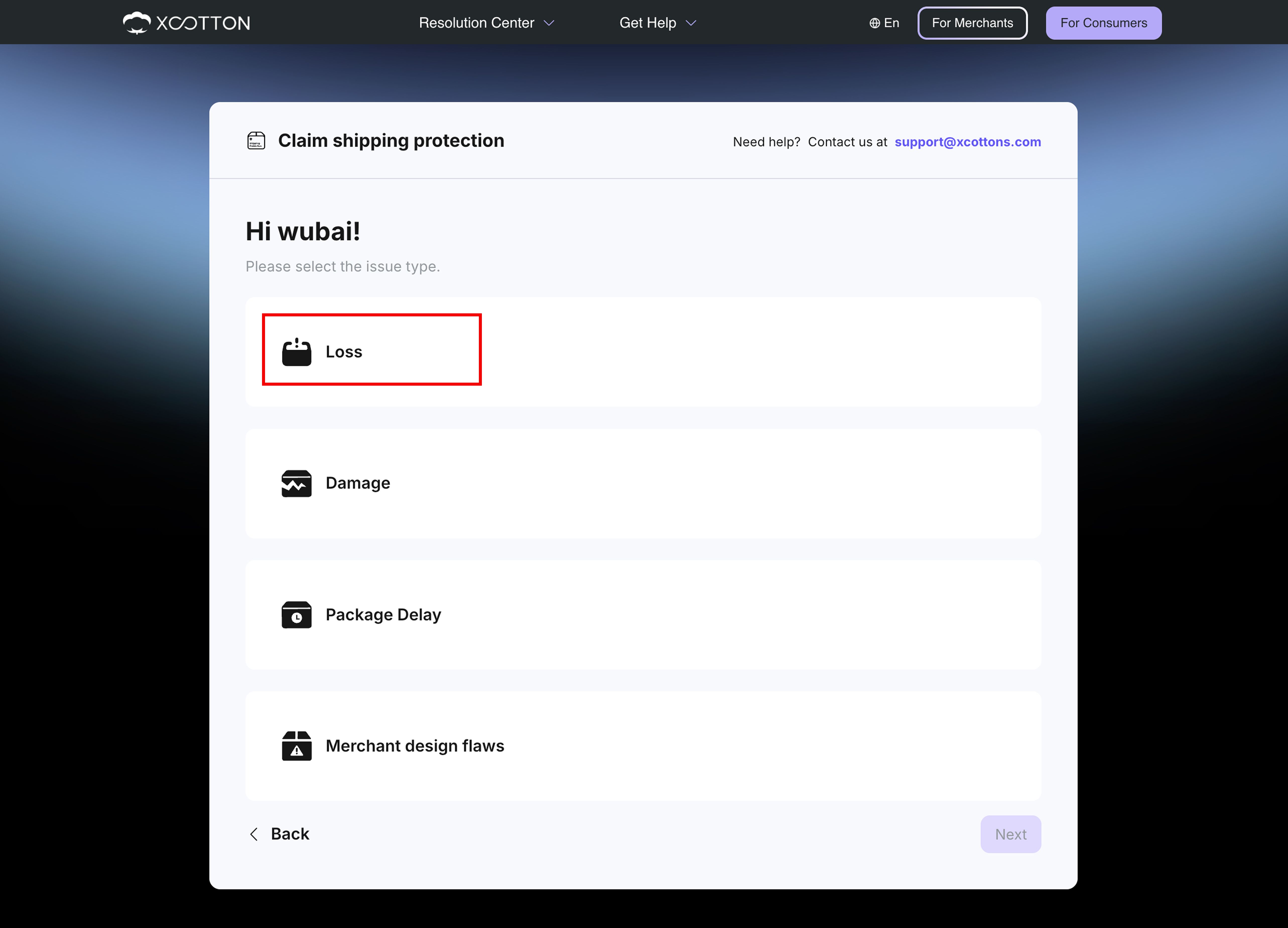
Select the option that best matches your situation. You’ll be asked to provide supporting document in the later step.
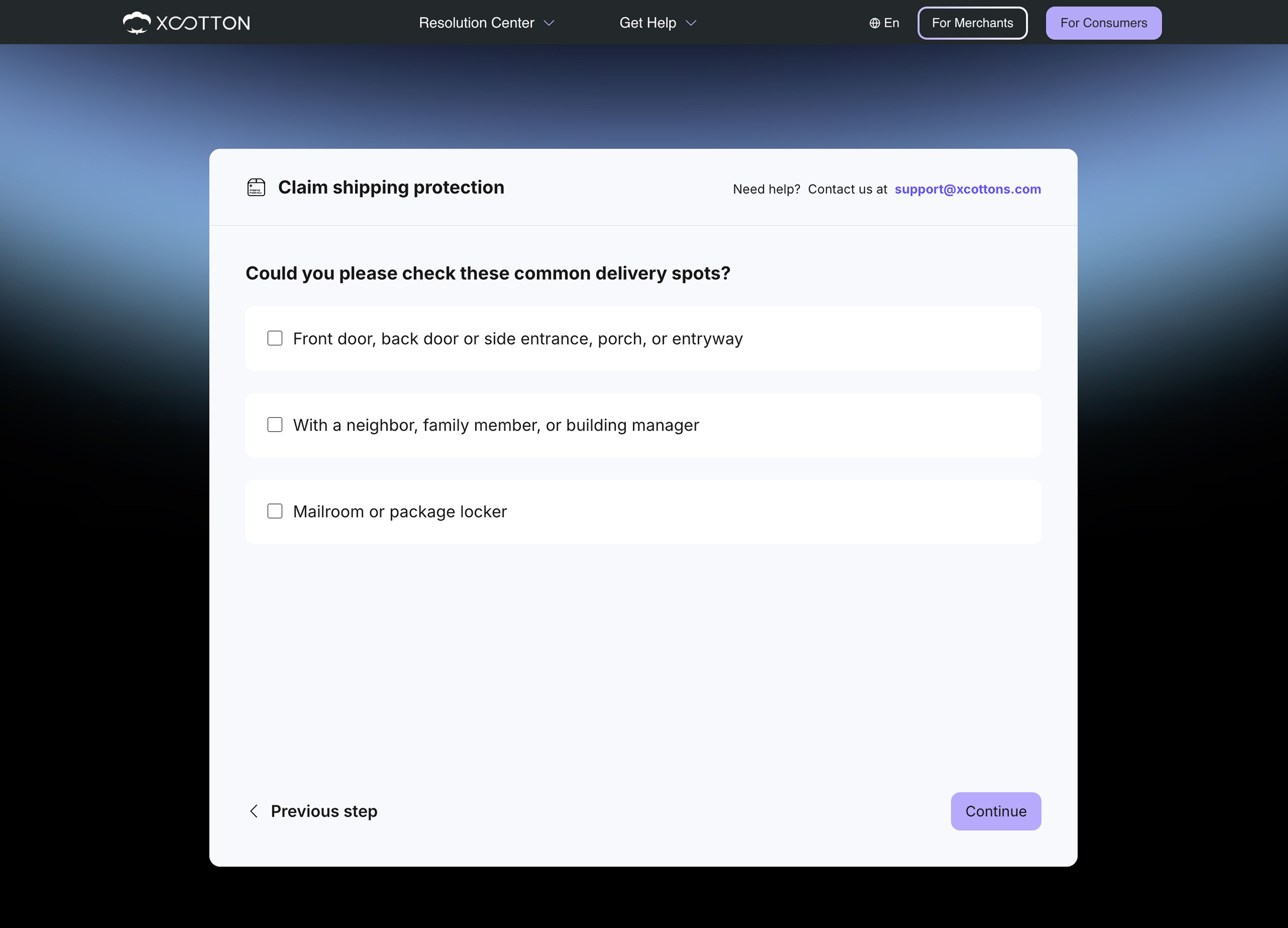
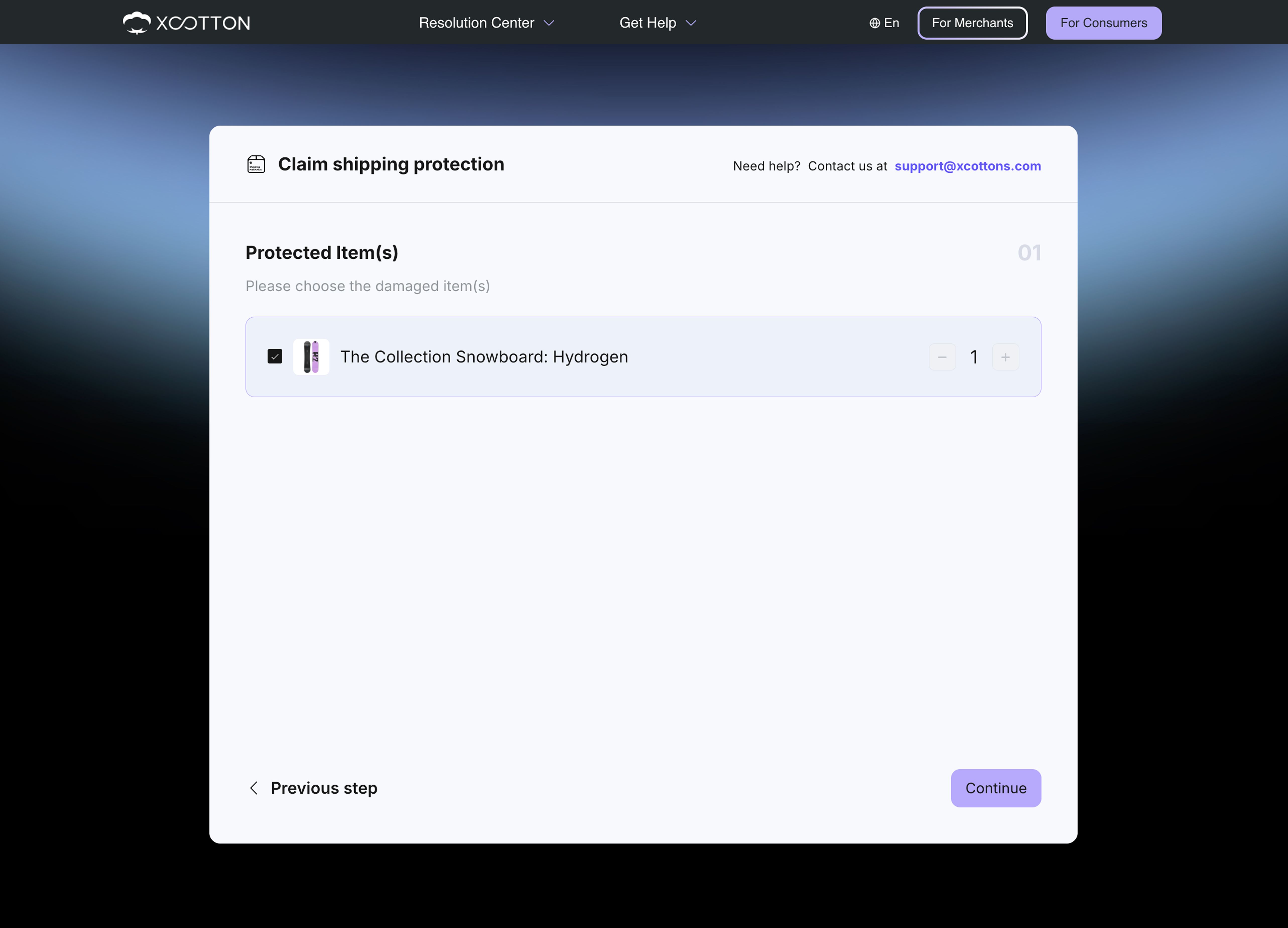
Select the damaged item(s)
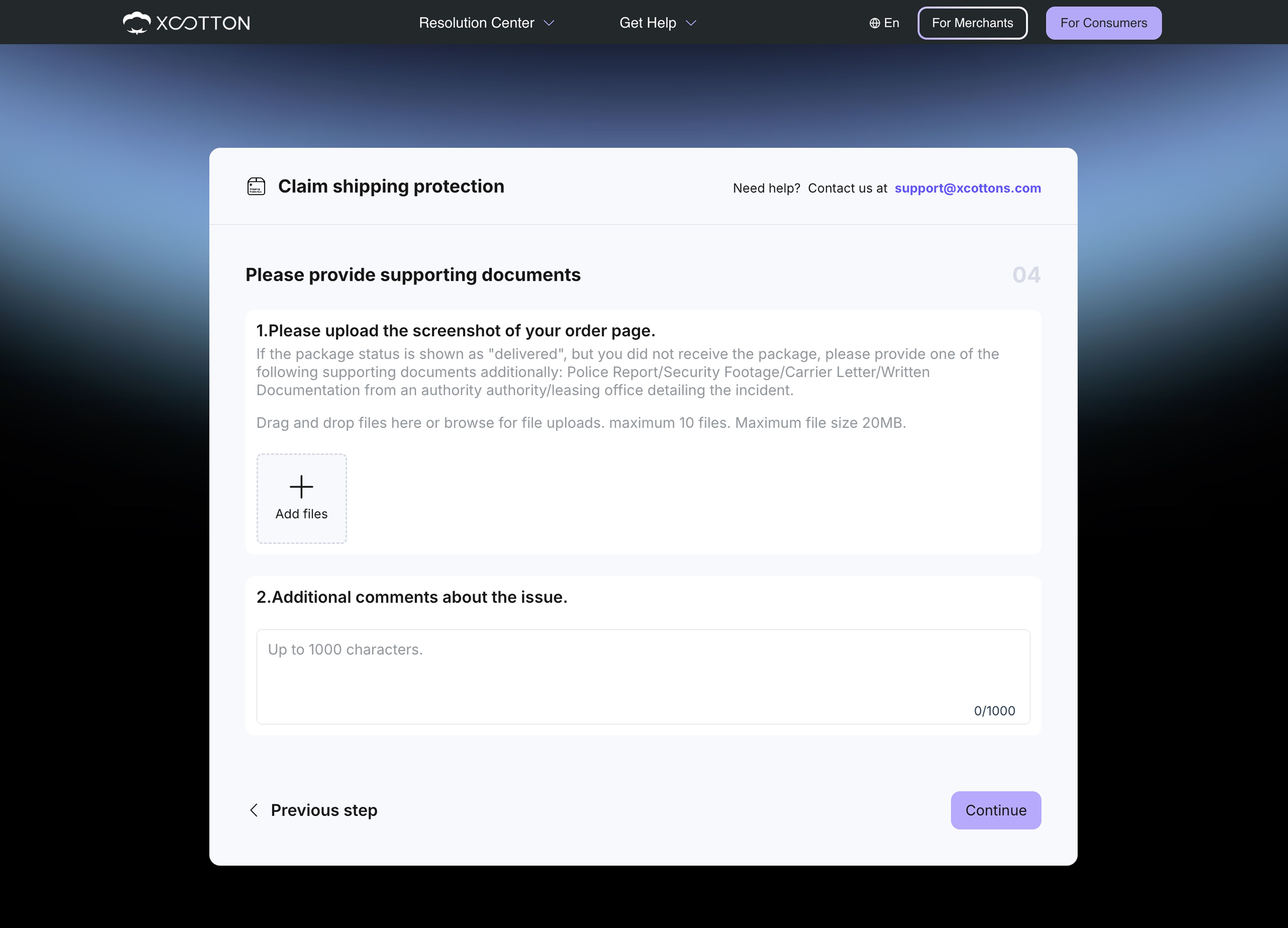
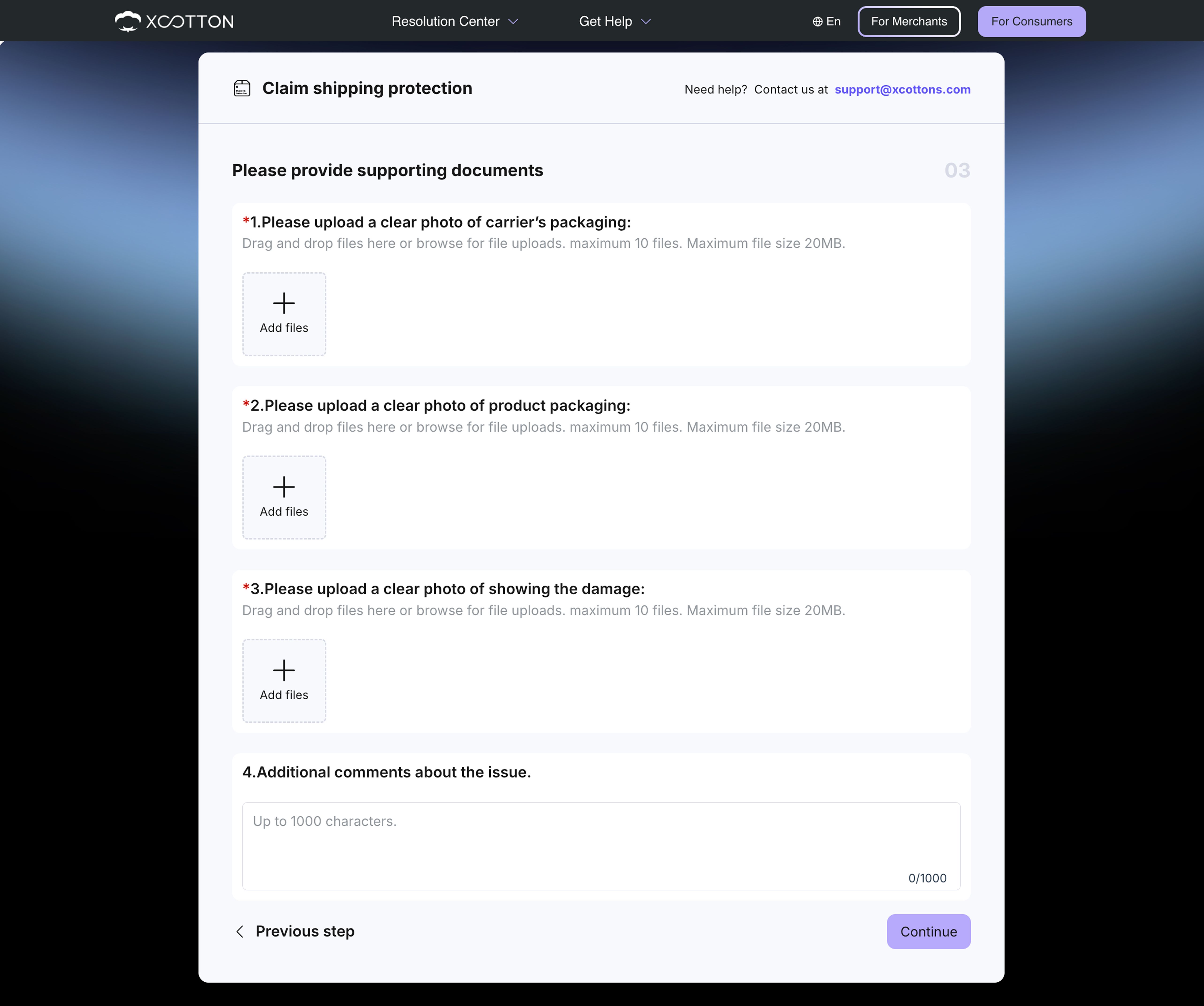
Upload your supporting documents
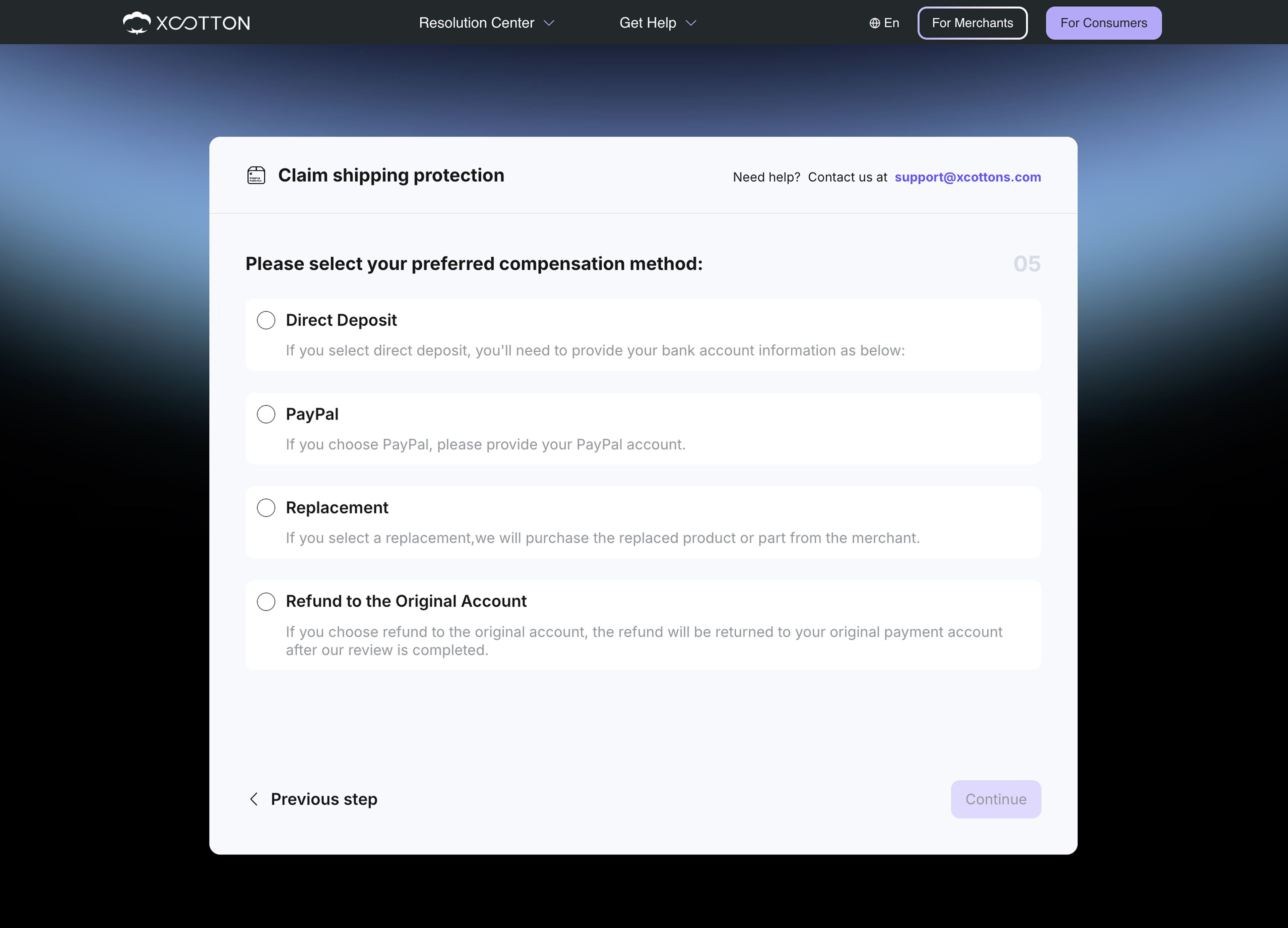
Select your preferred compensation method
Submission complete
- If you choose Damage
Upload your supporting documents
Select your preferred compensation method
Submission complete